EN
PORTFOLIO / CUSTOM SOFTWARE

An idea.
Many screens.

See how an application can work on a computer, a television or a mobile phone. These examples show different tasks and ways of organising information.

Visual portfolio. These presentations are visual mock‑ups with fictional content. You can move the content within the device screens. They are not functional or installable applications.

SOFTWARE ON DIFFERENT DEVICES

From your pocket
to the big screen.

Interfaces designed for each screen: from personal care to team organisation and training.

TV / PULSO TV

The workout occupies
the whole screen.

A gym application for the large screen: featured classes, remote reading and navigation designed for remote control.

Samsung · Smart TVMove the content within the screen
PULSETVYOUR RHYTHM. YOUR SCREEN.
INSIDE THE PULSE

Today, the next
step is yours.

Strength, energy and mobility.
Find your rhythm.

StrengthTechnique and progression
EnergyGroup rhythm
MobilityControl and balance
HOMEMODALITIESTHE STUDIO
IPHONE / ROSÉA POCKET

A moment for you.
In the palm
of the hand.

Beauty care and appointments gathered in a delicate interface, focusing on the next care moment.

iPhone Pro Max SLIDE INSIDE THE SCREEN ↓
Illustrated frame of iPhone Pro Max
9:41100%
Your little ritual.
More colour.
More you.
A MOMENT JUST YOURS

Your next
pause.

THURSDAY / 16:30Classic manicure

35 minutes of care.

IN YOUR SCHEDULE
Find your care

Manicure 01

Pedicure 02

Nail art 03

TodayCareSchedule
ANDROID / CLEAN TEAM

The day organised.
The team
on the move.

Today's visits, tasks and service progress, gathered on a work screen for field teams.

Samsung Galaxy Ultra SLIDE INSIDE THE SCREEN ↓
Illustrated frame of Samsung Galaxy Ultra
09:00100%
TEAM / DAY PLAN
YOUR ROUTE FOR TODAY

Good work,
team.

09:00Amadora
11:00Alfragide
14:30Benfica
DOMESTIC CLEANING
Apartment · Amadora

Details of the visit and the space.

2 of 3 tasks
Clean surfaces
Vacuum and mop the floor
Check the space
IN PROGRESSDomestic cleaning
TodayVisitsTeam
TOOLS FOR DAILY USE

Less demand.
More organisation.

Projects, appointments and materials: three ways to keep information organised and work visible.

PROJECT MANAGEMENT / NEXO

From the first request
to the final revision.

A space to track projects, assign tasks and understand what each person is awaiting.

MacBook ProMove the content within the screen
Project boardStages, tasks, deadlines and owners in one place.
SERVICES AGENDA / SCHEDULE

Each session.
Your time.

A schedule for studios and businesses by appointment, with times, rooms and the details of each session.

MacBook ProMove the content within the screen
Weekly agendaWeek view, service identification and session record.
INVENTORY / STOCKROOM

The right material.
At the right height right.

An inventory for small teams: know where the material is, track entries and exits and prepare restocking.

MacBook ProMove the content within the screen
Inventory and restockingReferences, locations, movements and low‑stock alerts.

A bespoke application for your business.

In a real project we define the devices, users, features and integrations. Installation on TVs or distribution through the Apple and Google stores is assessed for each application.

Discuss an application
Case study

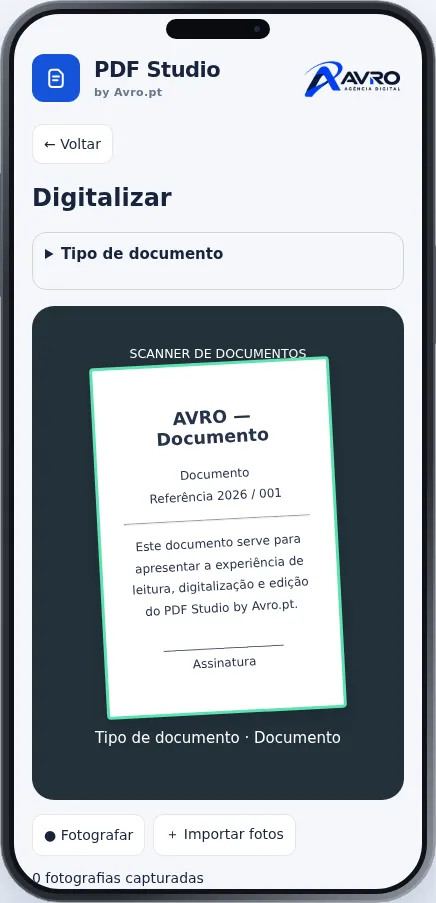
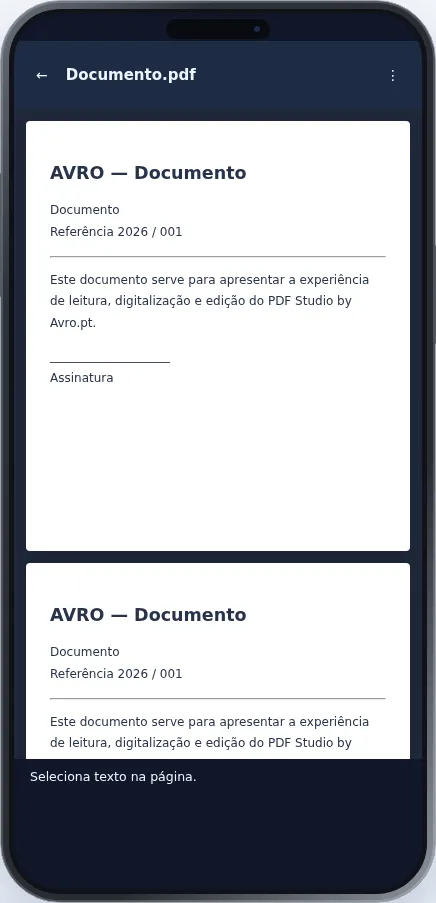
PDF Studio by Avro.pt

See how we built an Android app for working with PDFs on a phone.

Read the case study

Comments and experiences

Use scenario
“With the television across the room, I need to be able to read the workout names. I could choose the mobility session without getting up from the mat.”
Pulso TV · Workouts on TVWorking out in the living room
Use scenario
“I opened the app just to check the time of my manicure. It was right there on the first screen.”
Roséa Pocket · Beauty on iPhoneChecking an appointment
Use scenario
“Before I leave, I like to check where my first visit is and what I need to bring. This design puts the address and tasks together.”
Limpa Equipa · Field operations on AndroidPreparing for the day’s visits
Use scenario
“On Mondays I want to know what’s overdue and who’s responsible for each task. A board like this would show me that at a glance.”
Nexo · Project managementCoordinating a small team
Use scenario
“When I have two sessions back to back, I need to know which room I’m using and get the equipment ready. The calendar and session details give me that information.”
Pauta · Studio calendarOrganising a photography studio
Use scenario
“When something’s running low, I want to know how much is left and which shelf it’s on. Having both on the same line saves me a trip around the stockroom.”
Stockroom · Inventory and replenishmentChecking stock levels
The next idea could be yours.
Web · Design · Software · MarketingAVRO — Digital Agency / Portugal